What's New

Follow new updates and improvements to Cylindo.

Help, answers and influence: all from one menu
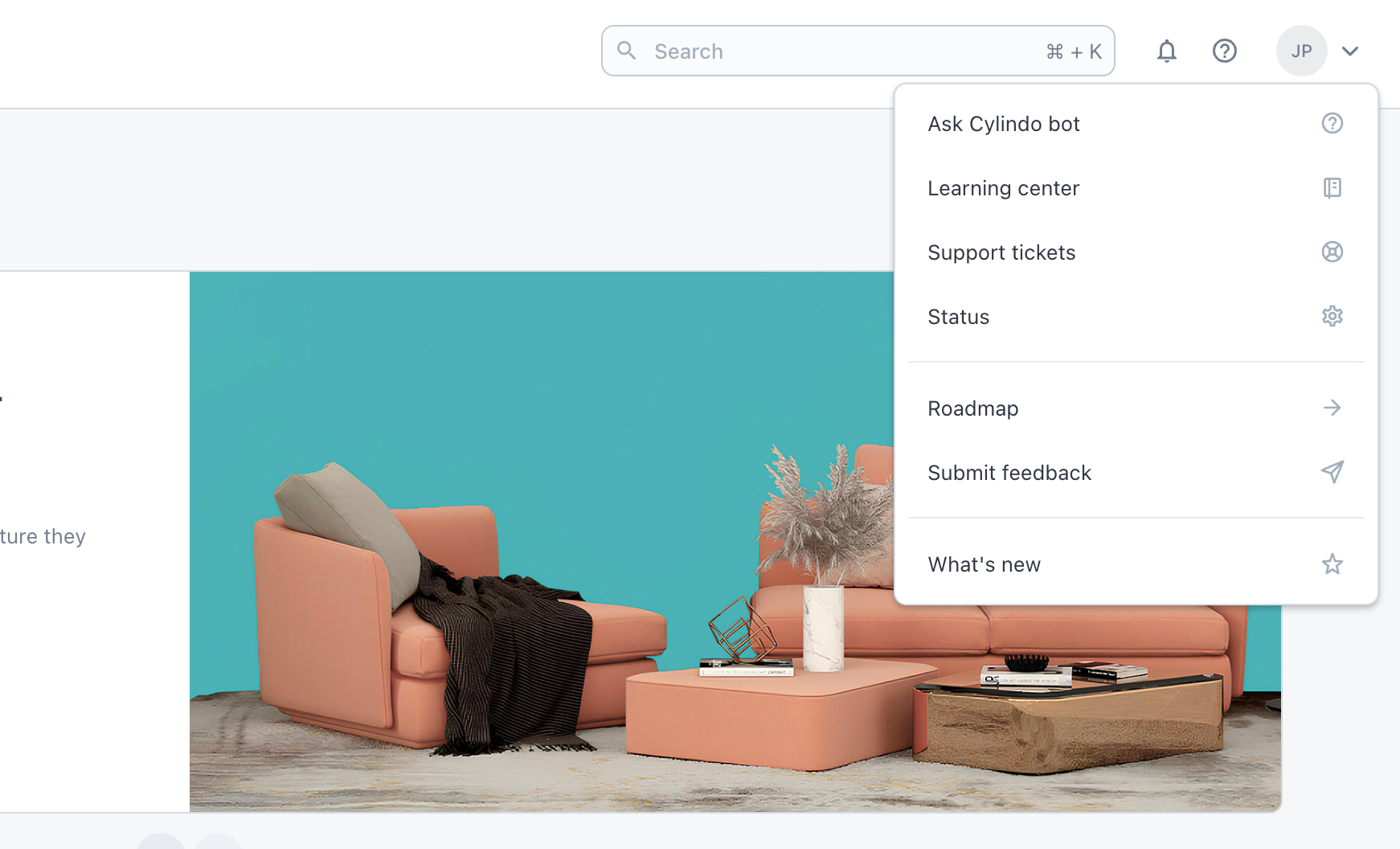
We've rebuilt the Help menu behind the question mark icon in the top navigation. What used to be three links is now a proper hub for getting unstuck, tracking your requests and shaping what we build next.

Ask Cylindo Bot
Ask a question in plain language and it surfaces the relevant article, guide or setting from our Learning Center.

Learning Center
The full library of guides, tutorials and best practices, now one click away at learn.cylindo.com/help.

Support tickets
See every ticket raised by your account, not just the ones you submitted yourself. Status, replies and history are visible to everyone on your team, so a colleague can pick up a thread while you're out.

Status
Live platform status and incident history.

Roadmap
See what we're building, and vote on the items that matter most to you. Your votes feed directly into how we prioritise.

Submit feedback
Tell us what's working and what isn't. Unchanged, just easier to find.

What's new
Release notes and product announcements, including this one.

Links open in a new tab, so you won't lose your place in the platform.
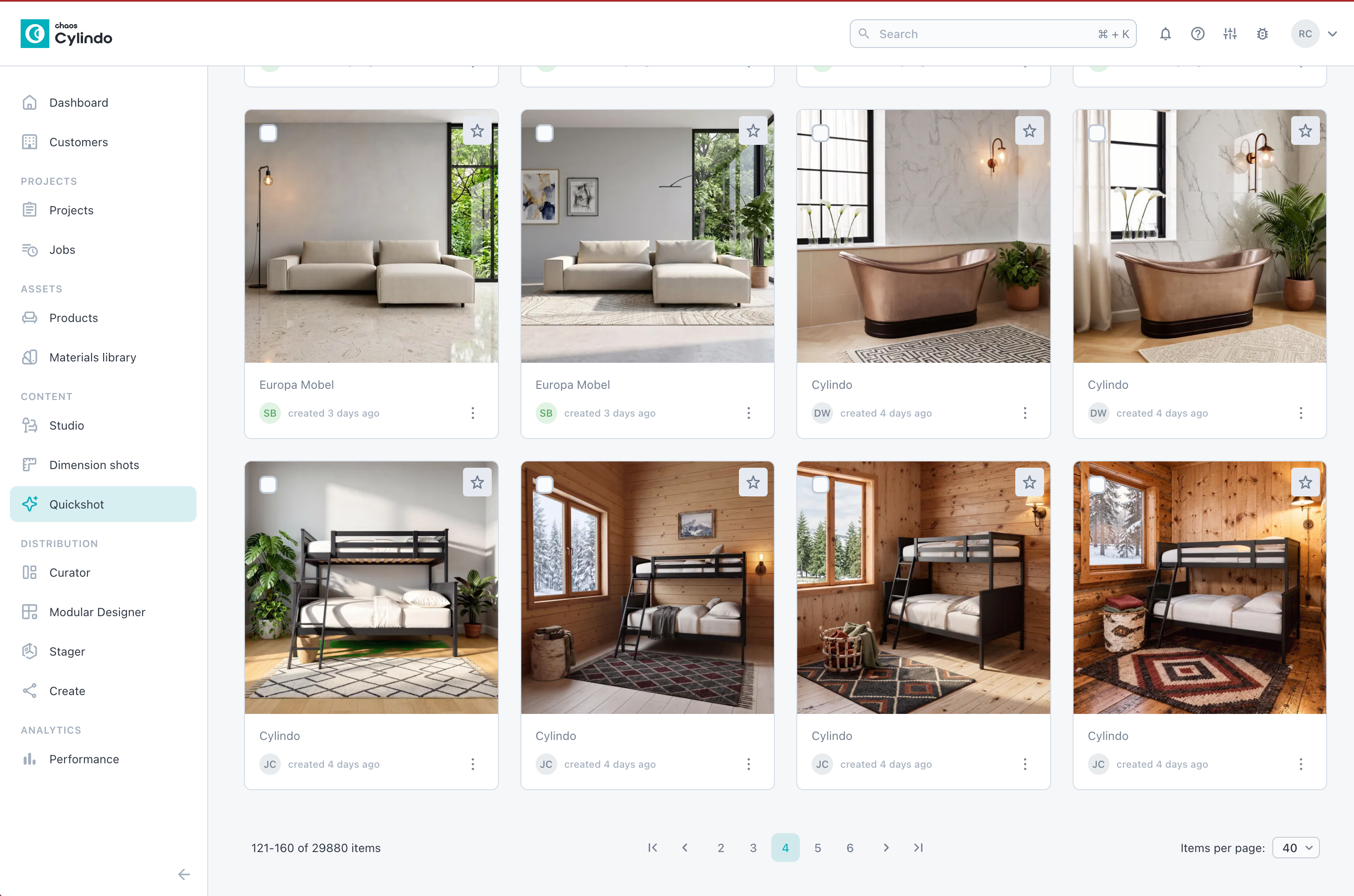
✨ New: Gallery view for Quickshot

The Quickshot tab now opens a gallery view of every Quickshot you've created — browse, filter and jump back into any image.

Why it matters

No more retracing your steps to find last week's shot. You get a visual library of your team's work, ready to build on.

Details

  • Filter by created by me, product name, product code and published status.

  • Each image shows the initials of whoever last created or edited it

  • Open any image in the gallery to edit or create a new version in Quickshot.

  • The tool opens from the Open Quickshot button, top right Head to the Quickshot tab and take a look at the gallery.


✨ Quickshot: Fill a 3D scene with your products in one click

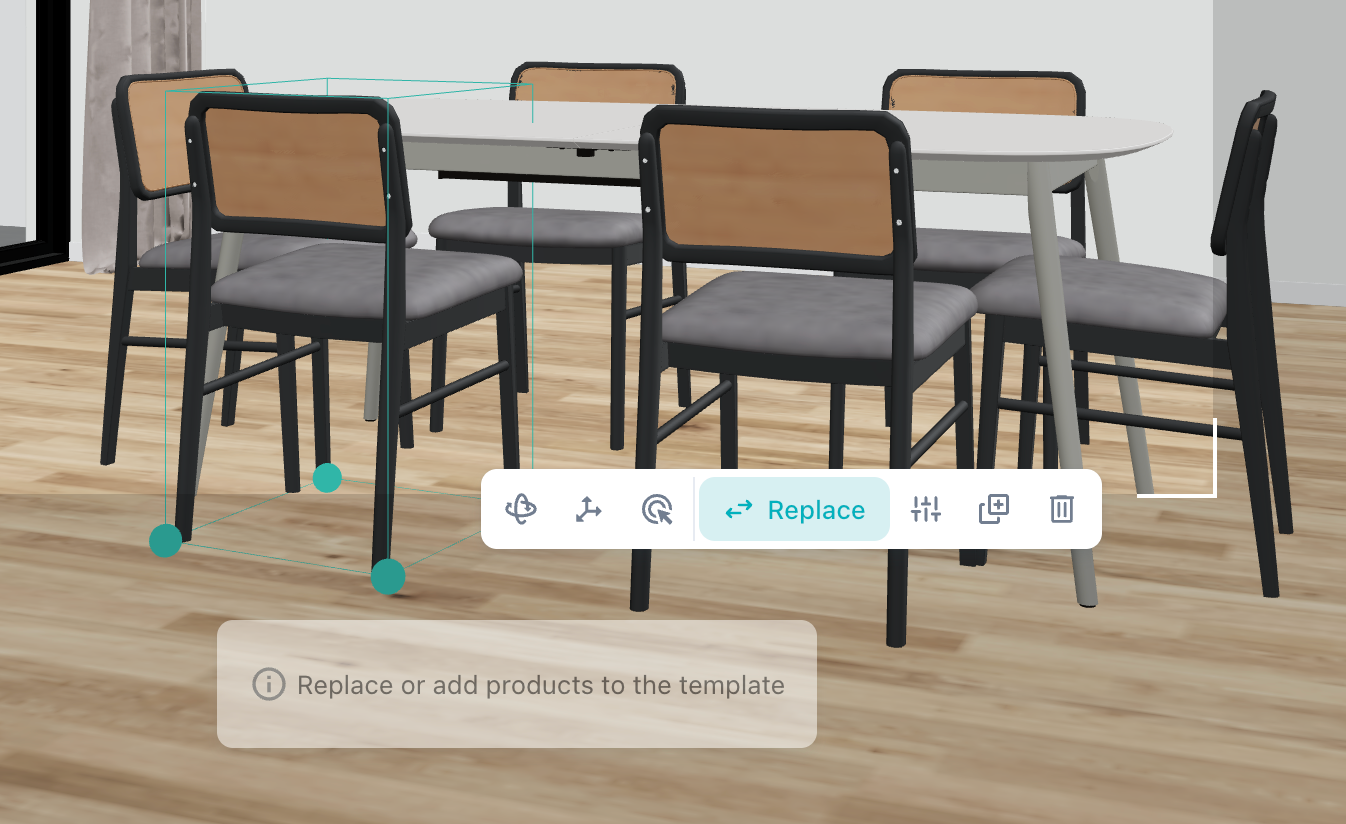
The 3D workflow now opens with a gallery of ready-made scene templates. Pick a scene, swap in your products, done — complex layouts are far faster to build, and swapping a product configuration across a scene is now a single click even when the same product appears many times over.

Why it matters

No more placing and configuring the same product six times. One click updates every instance, so you can try a different finish or model across a whole scene in seconds.

Details

  • Start from a template, then replace its placeholder objects with your products

  • One click swaps every instance at once — pick a chair and all six around the dining table become your product, each inheriting the placeholder's position and rotation

  • Changing configuration works the same way: swap once and every instance follows

  • Placeholders you don't replace aren't rendered, but they anchor the scale, with materials generated from your style input

Try it now — open the 3D workflow, pick a template and drop your best-selling product into it. First scene should take you under a minute.

Learn more about it here.

Improved

Earlier updates