May 11th, 2026
Improved
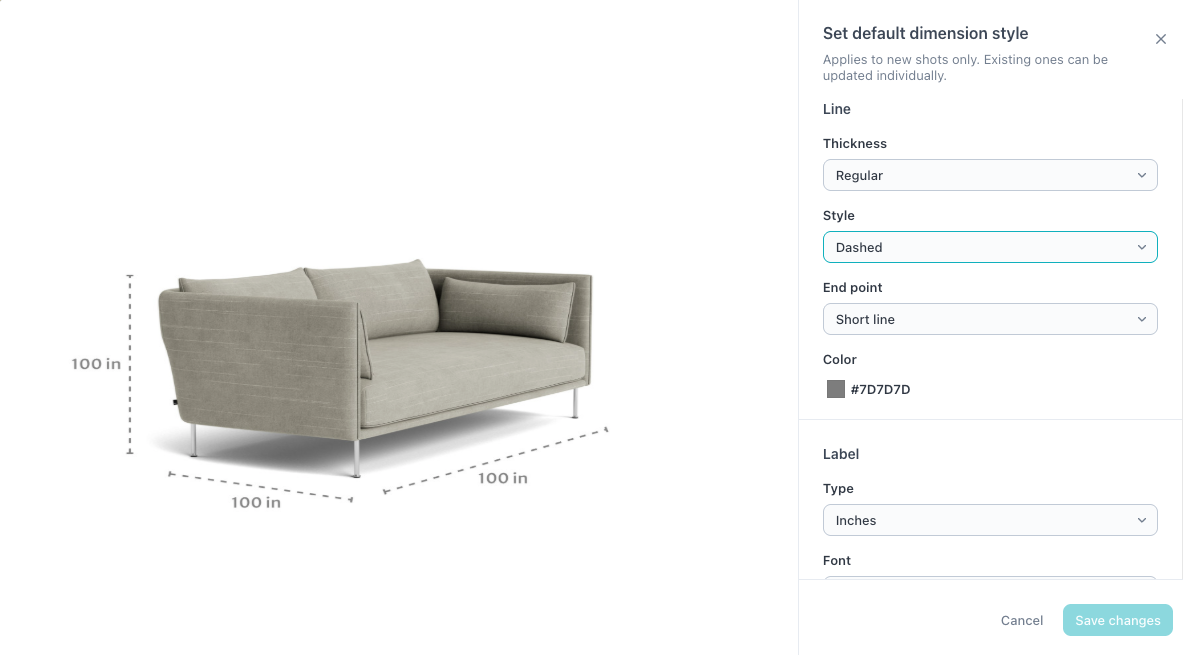
Dimension Shots: Style Controls
Control the look of your dimension imagery — colors, fonts, line weight, and style — directly in the CMS.
What is it
You can now adjust colors, fonts, line weight, and overall style on every line, directly inside the Dimension Shots tool. Apply styling line by line, or set defaults that automatically apply across everything you create.
Why it matters
Dimension imagery is part of your product experience and now its truly part of your brand. No Photoshopping, no back-and-forth, no extra cost — and the styling stays consistent across every product you publish.
How it works
• Open any dimension line in the Dimension Shots tool and adjust its color, font, line weight, and style
• To apply your styling across the catalog automatically, head to Manage Styles and set your brand defaults
• Every new dimension line you create inherits the global styling — one setup, applied everywhere
• Updates are live the moment you save — no publishing step, no waiting
Available now —> We recommend setting your global styles first so every new line you create stays on-brand by default.