February 28th, 2024
Improved
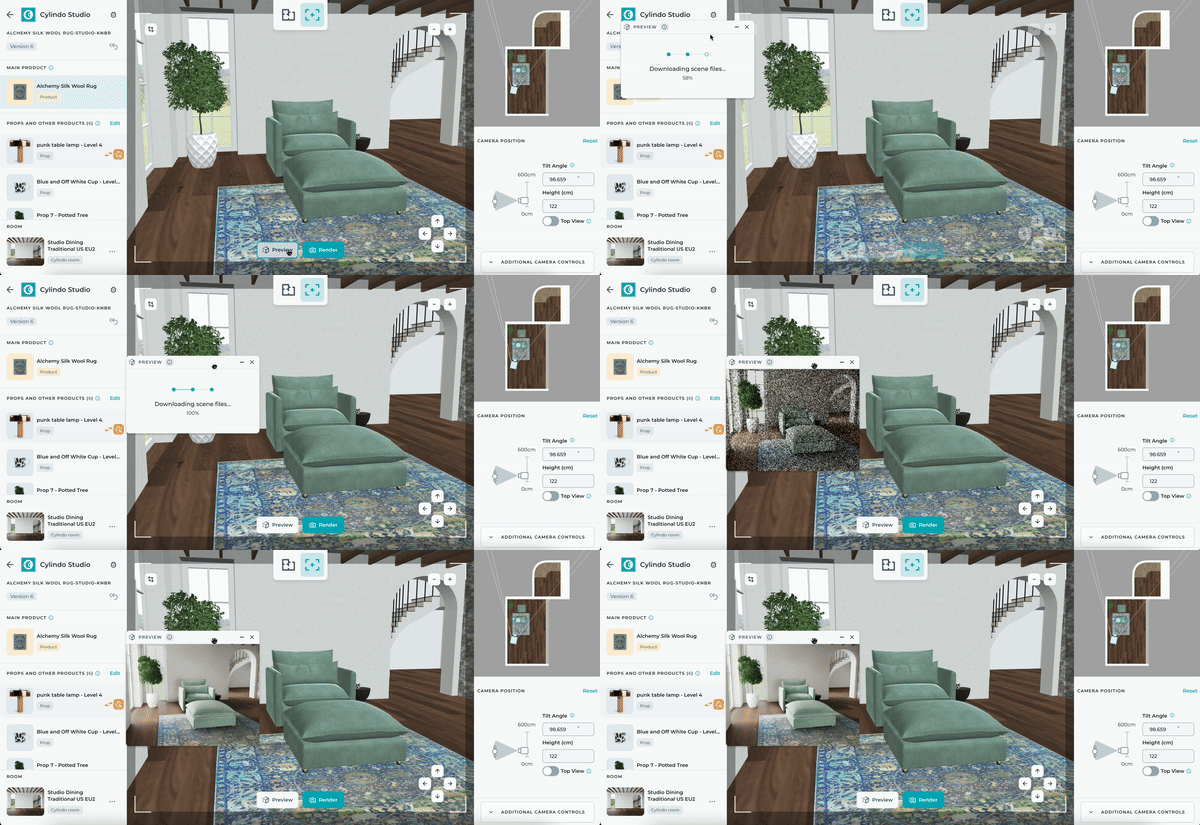
Say goodbye to guesswork with Studio Live Preview
What is it?
Studio Live Preview introduces real-time visualization of Studio designs. Accessed within Studio, it enables live rendering by clicking the preview button.
Why does it matter?
Live Preview is intended to enhance users' design workflows by providing immediate visual feedback to facilitate decision-making. Ultimately, cutting down the time it takes to iterate upon your designs by reflecting changes instantly.
How does it work?
Live preview initiates a dedicated server for rendering Studio scenes.
Brief initialization (~4 minutes) and scene loading (~1 minute) precede rendering.
Each user receives a dedicated render server, automatically terminated after 10 minutes of inactivity.
Preview images render in 1K resolution, maintaining aspect ratios.
To use, open Studio, click "Preview," adjust window as needed, and make changes reflected in real-time.
Additional notes include unsupported multiple preview windows and potential visual inaccuracies with certain materials.
If no render servers are available, a notification reserves the first accessible server, maintaining queue position.