April 30th, 2023
Improved
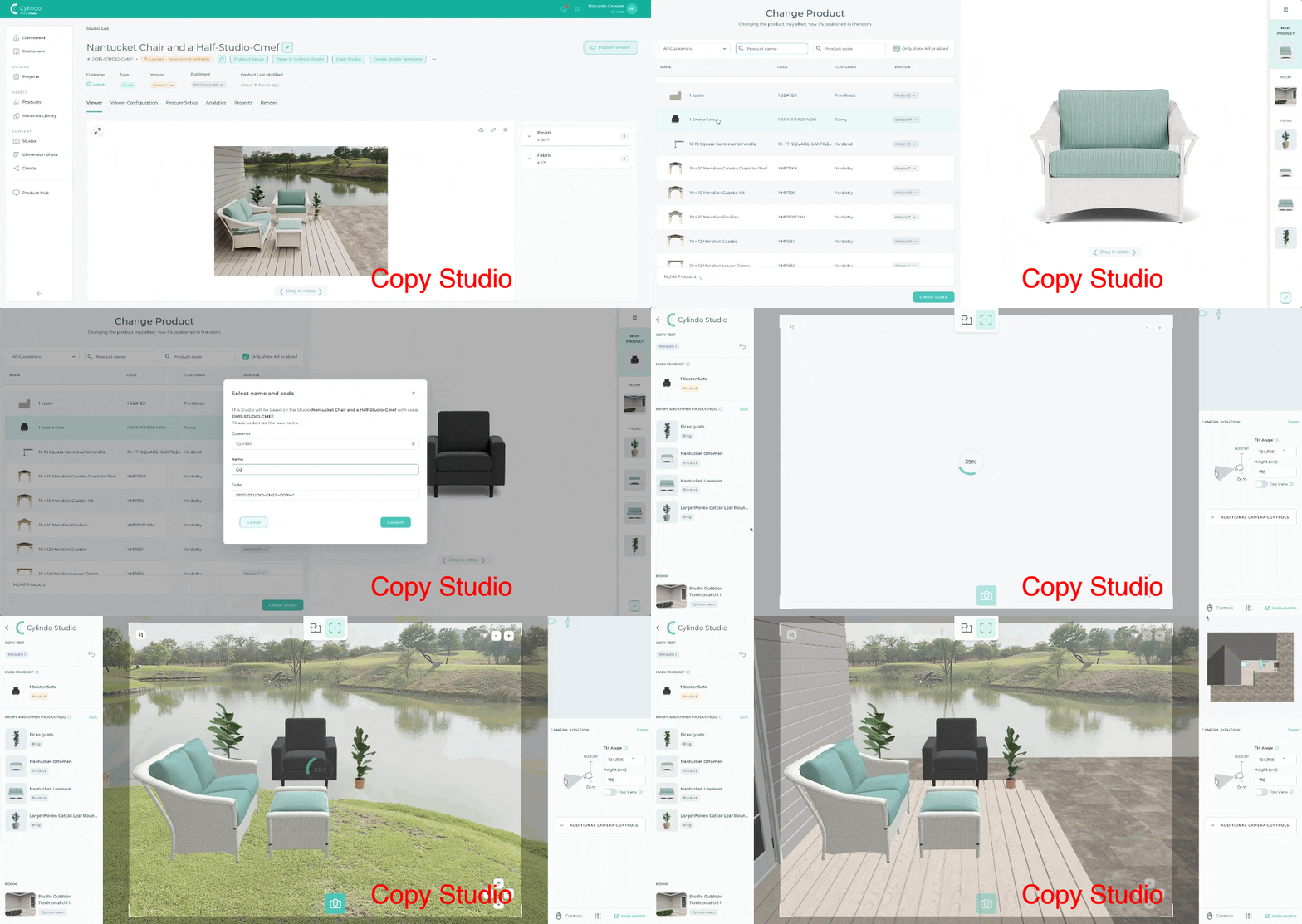
[Live] Studio Update: Copy+paste=consistency
What is it?
Copy an existing Studio and swap out any products or props. When an item is swapped, the replacement you choose will automatically take its exact position.
Why does it matter?
Achieve visual consistency across all products with the same or similar lifestyle backgrounds and aesthetics for each.
How does it work?
Choose an existing Studio that you would like to recreate
Click the 'Copy Studio' button
Choose the new product you'd like to use as the replacement
Click 'Create Studio' and name your copy
The new product will be inserted into the Studio and will be ready for you to render!
Write a comment...