Setup Selection Guide
Before we dive into creating your content, we need your input on the camera and light settings, as well as the aspect ratio for the images we'll deliver. These choices will be applied to all your projects moving forward, so it's important to get them just right.
While Cylindo can adjust these settings from project to project, we highly recommend maintaining the same settings for all projects. Consistency helps our projects run smoothly and ensures your products look cohesive on your website.
Cylindo Standard Cameras
The right camera depends on what matters most for your catalogue: maximum product detail, accurate size comparison across products, or a balance between the two.
Choose one from the three Standard Camera options below:
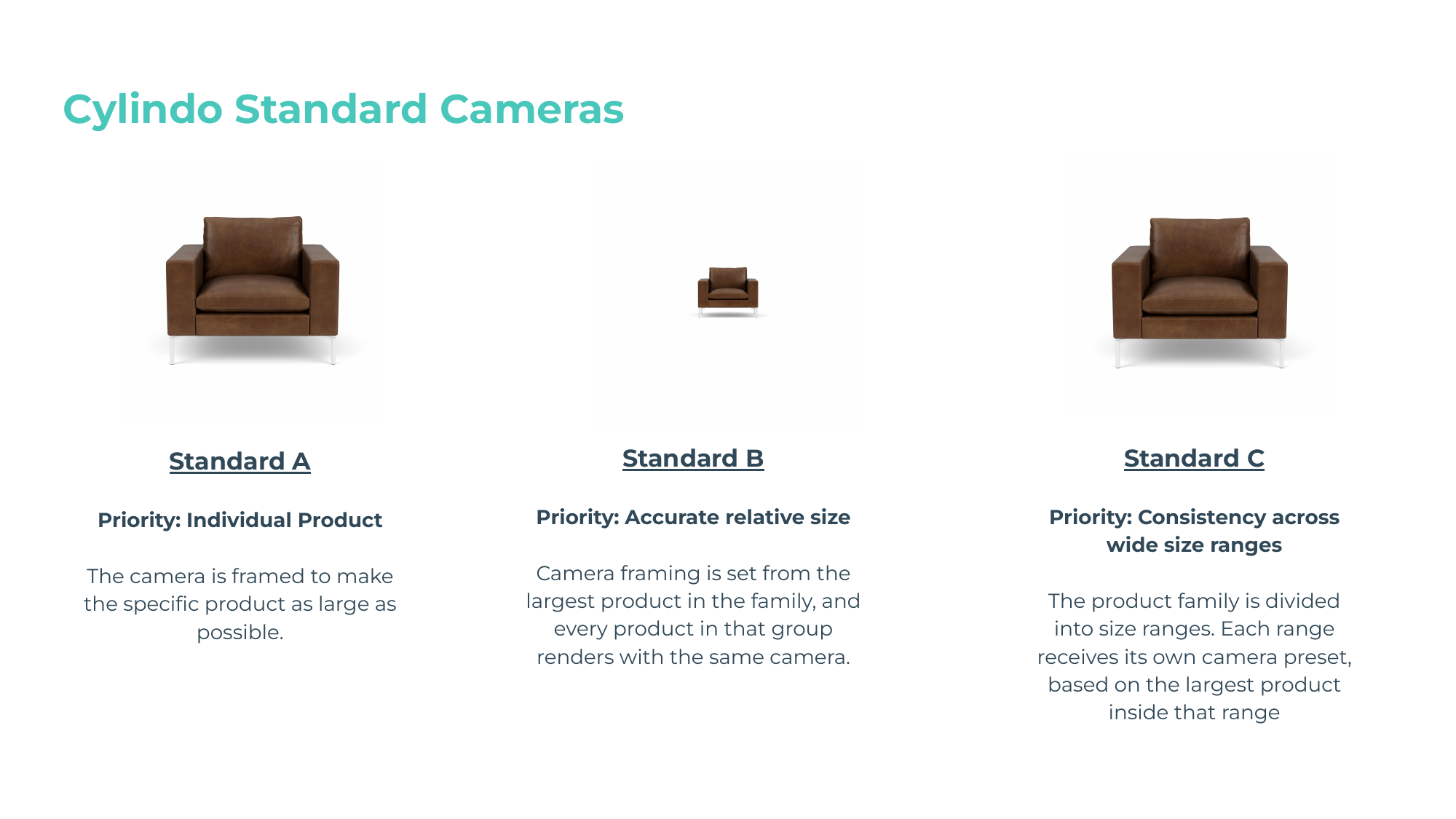
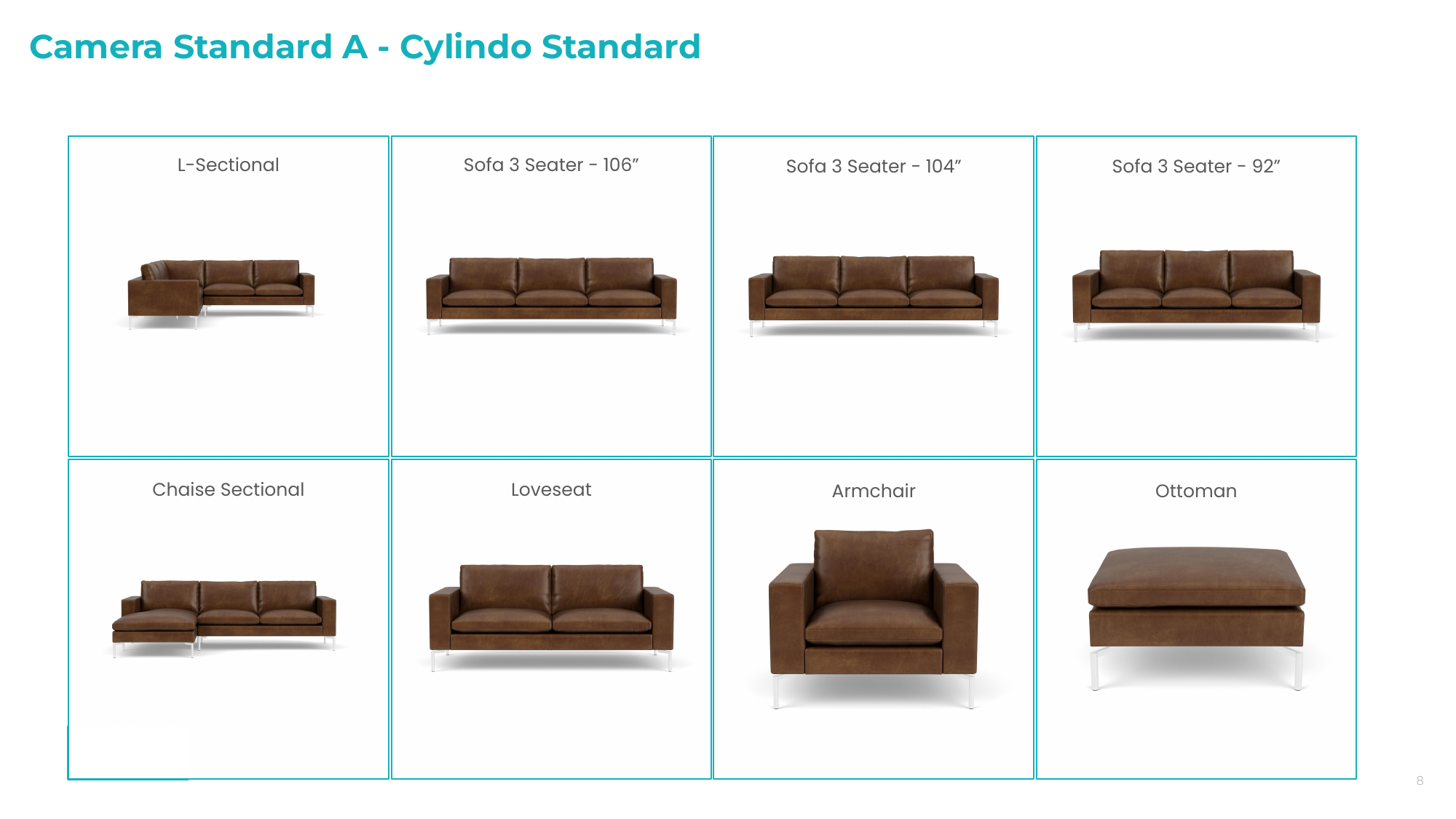
Each product receives its own camera. The camera is positioned to make that specific product as large as possible in the frame while keeping it safely inside the 360 rotation
This creates a strong standalone product view: the product fills the frame, details are easier to inspect, and the visual output is optimized per product
This standard works best when individual product presentation is the priority, especially on product detail pages where the customer is focused on one product at a time
In summary, every product gets the most flattering close-up camera
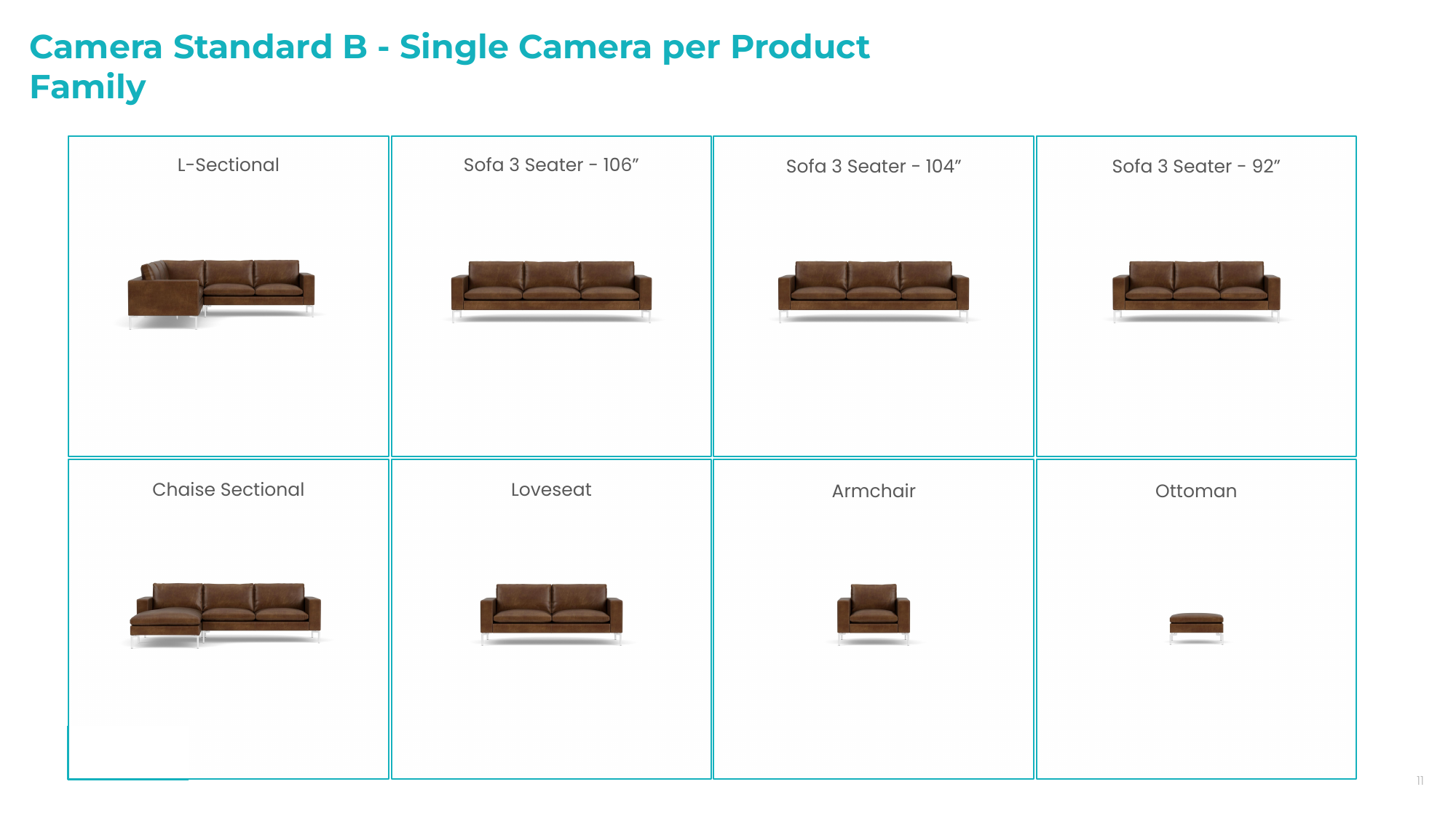
One camera preset is defined for the entire product family. The camera is created from the largest product, using the same safe 360 framing logic, and then applied to all related products from the same family
Because every item uses the same camera, products keep their relative scale. A sofa, loveseat, armchair, and ottoman look correctly bigger or smaller when shown together
This standard works best for category pages, collection grids, comparison views, or any experience where customers need to understand size relationships across the family
In summary, one shared camera makes the whole family comparable
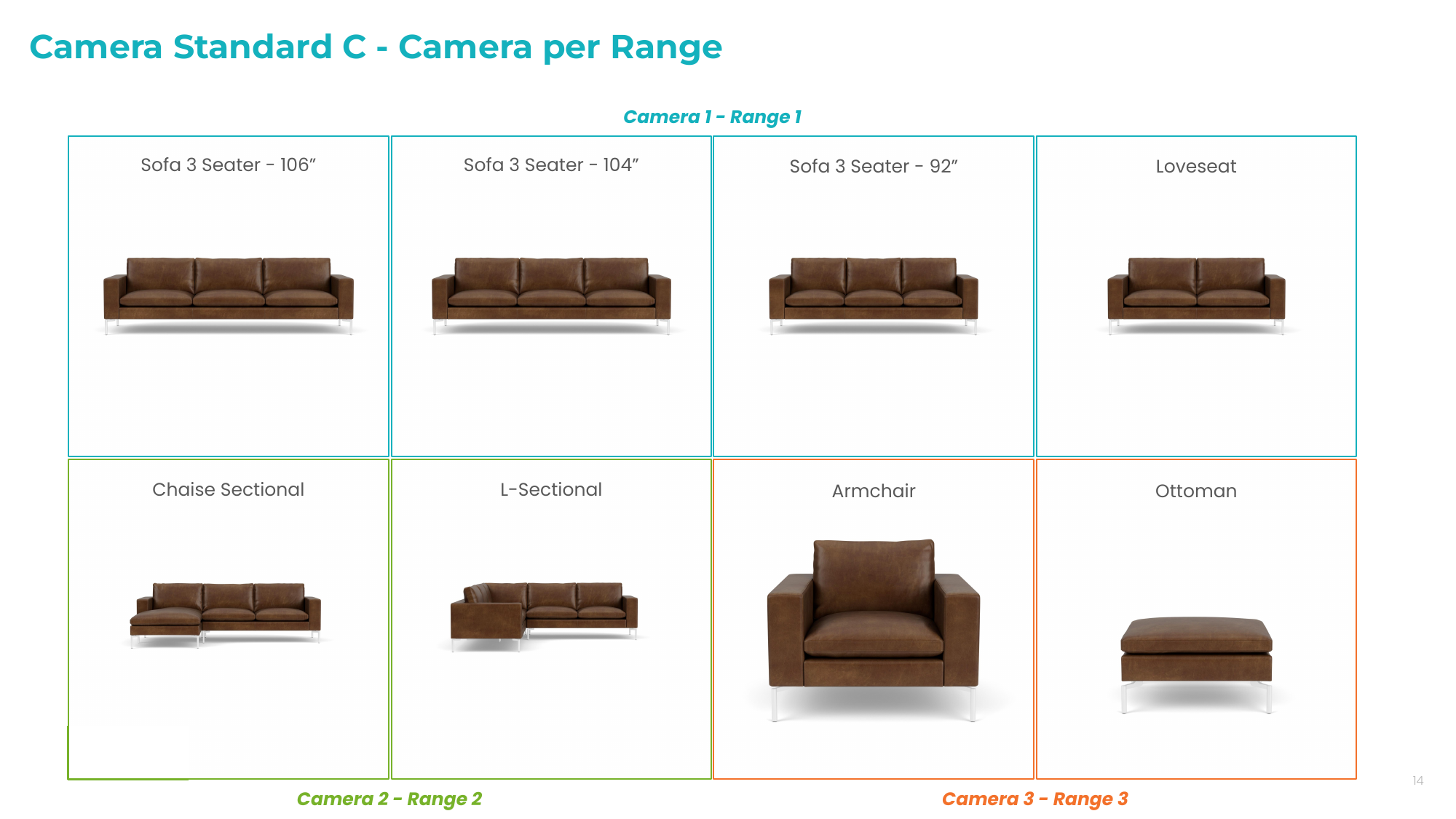
The product family is divided into size ranges. Each range receives its own camera preset, based on the largest product inside that range
This keeps similar products visually comparable while preventing smaller products from becoming lost in a frame designed for the largest item
This standard works best when a catalogue contains clear size groups, such as large sofas, sectionals, and smaller pieces like armchairs or ottomans
In summary, products are grouped by size, and each group gets the most suitable shared camera
Lighting Environment
We offer five different studio lighting types, each based on a specific photographic logic:
Both Sides, Even Lighting
Front, Side Even Lighting
Right Side, Contrast Lighting
Left Side, Contrast Lighting
Top, Even Lighting
These setups are calibrated so that the same material, with its physical characteristics, performs consistently across all five environments. However, each lighting type highlights certain properties of the materials differently, making some features stand out more than others.
Keep in mind, the products are placed in a fixed lighting environment with a static camera. Only the product itself rotates within the frame.
This means the appearance of the material will vary slightly depending on the angle towards the light as the product spins in the 360 viewer.
Go to the Projects tab and open any project.
Open the "Overview" tab.
Scroll down to "Additional Settings". On the right side, you will see the "Camera and Light Setup" button.
In this tool, you can test the settings on a wide variety of products and materials, including upholstery, case goods, outdoor furniture, office chairs and window blinds.
!! Please note that your access to this tool will be locked once you have selected your settings. Do not save your selection until you are sure it's your final decision.
Option 1: Both Sides, Even Lighting
This is an even lighting setup with three softbox strobes, one on the top and two others, left and right, positioned a bit more frontal.
With this type of lighting composition, we have more continuous and uniform illumination of the product and materials during the 360-degree rotation.
Option 2: Front Side, Even Lighting
This setup uses soft, diffused lighting with two sidelights and one front light extending to the right side to create asymmetrical contrast. Overall, the product doesn’t cast any hard shadows on itself.
During the 360-degree rotation, this lighting provides a slight contrast on the left side and makes the light on the right side more prominent, enhancing the contrast of the product and its materials.
Option 3: Right Side, Contrasty Lighting
This setup features high-contrast lighting from the three-quarters right side, creating more self-shadowing and emphasizing product details. It uses two back-fill lights and one key light on the right side as the main light sources.
With this lighting composition, during the 360-degree rotation, the product's details and material colors exhibit significant contrast.
Option 4: Left Side, Contrasty Lighting
This setup uses contrast lighting from the left side, with stronger backlighting from the right side of the screen. It effectively emphasizes the product's features and materials to a subtle yet uniform level throughout the 360-degree rotation.
Please note, this is not a mirrored version of the Right Side Contrasty Lighting setup.
Option 5: Top, Even Lighting
This lighting setup provides a diffuse, top-down illumination that evenly lights the model from all sides, emphasizing the overhead lighting direction.
The uniform lighting minimizes contrast and highlights of the product's topography, resulting in consistent colors throughout its 360-degree rotation.
Aspect Ratio and Framing
The last setup selection decision you will need to make before we can start content creation is the aspect ratio and framing.
The viewer can be any aspect ratio you choose, with the longest side being 1024px wide. For example, 1:1 aspect ratio (square image) will have 1024x1024 px viewer size (4096x4096 px zoom), but 4:3 aspect ratio will have 1024x768 px viewer size (4096x3072 px zoom).
Was this helpful?
Still need help? Ask the team