Permission management: Creator role
What is it?
The Creator Role is the latest role-based permission feature for Cylindo users!
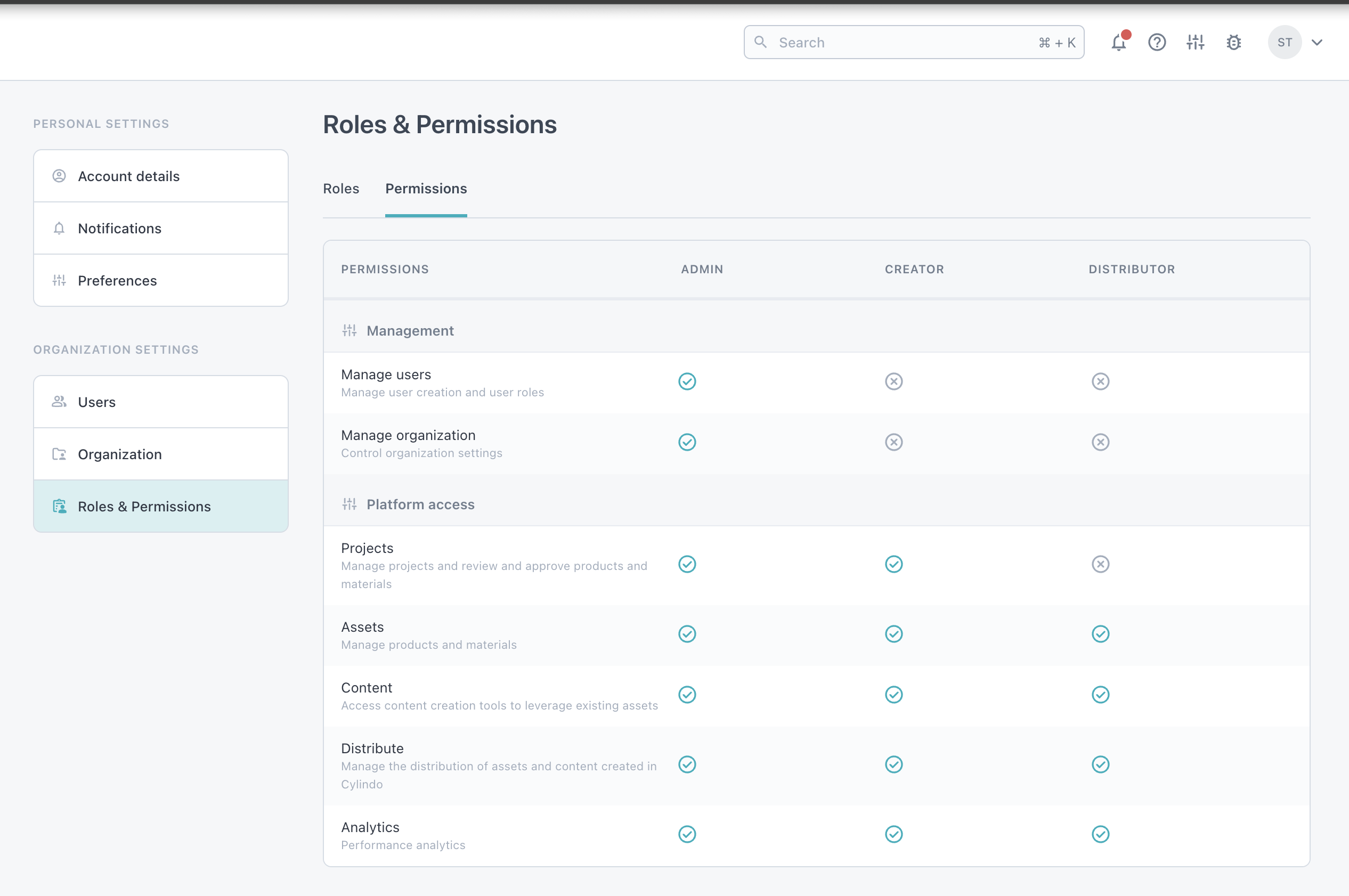
Moving forward, there will be three types of user roles within the system with various permission settings:
Why it Matters?
Where the Distributor role, introduced previously, allowed administrators to limit the access of certain users from viewing the asset creation workflows, this new role will be able to access all platform workflows.
This is particularly useful for customers working with:
Internal Teams: Limit users like marketing teams to focus on content creation and distribution with the Distributor role. Or, allow access to the expanded platform for those who also need access to the asset creation process.
External Partners: Restrict agencies or integration partners to content creation and usage, preventing access to projects or approval workflows.
How it works?
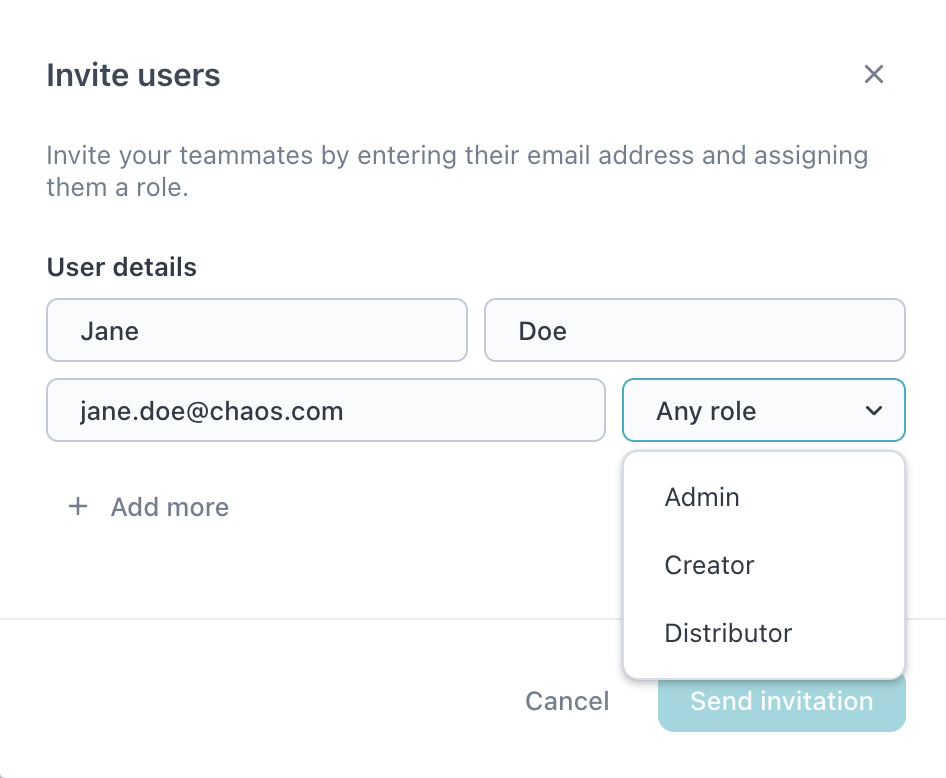
When inviting new users, Admins can specify the user’s role at the time of invitation:
To update a user's role, follow these steps:
The management of user roles is done by your organization’s Admin.
Click the ‘Settings’ button at the top right of your screen.
Maneuver from the ‘Settings’ tab to the ‘Users’ tab.
Admins can manage existing roles from the user settings.
Find the user you wish to update and select the ‘…’ next to their name.
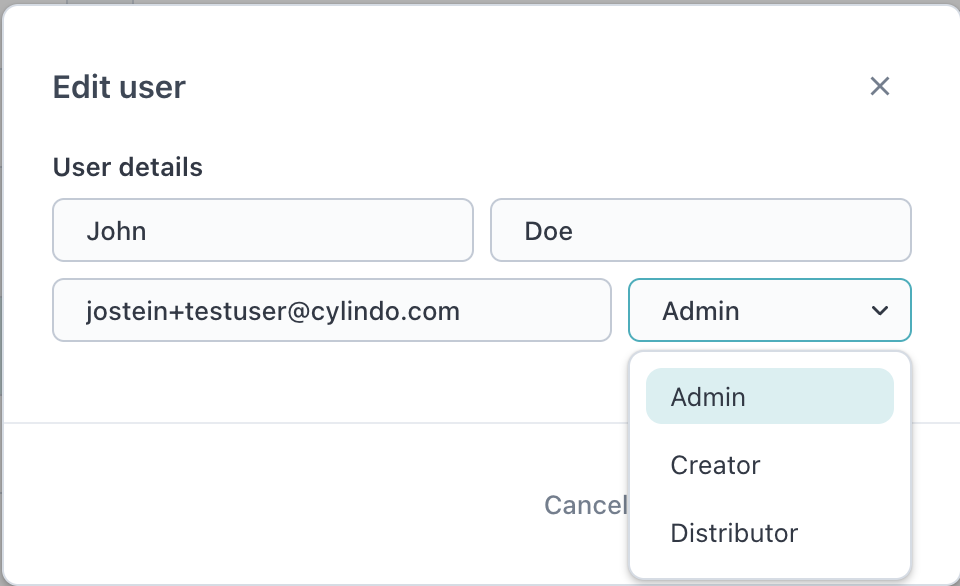
Choose ‘Edit user’ and a modal will appear with the new dropdown setting.
Select either "Admin", "Distributor", or "Creator"
For more, check out the Learning Center here.