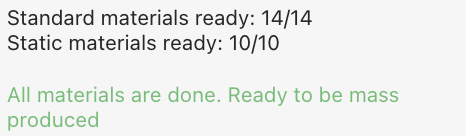
Mass Production Readiness ✅
What is it?
The Mass Production Readiness feature is a tool designed to help you ensure that all materials required for a product's mass production are finalized and approved. It provides clear visibility into material dependencies, making it easier to prepare project items for large-scale manufacturing.
Why it Matters
Mass production requires precision and preparation. Missing or unapproved materials can delay production schedules and increase costs. With this feature, you can:
Streamline production workflows by identifying material gaps early.
Ensure accuracy by categorizing and managing dependencies effectively.
Save time and resources by addressing issues before they impact mass production timelines.
How it Works
Check the Status:
Look for the ‘mass production readiness’ column on project items in the Production state.

Indicators will display:
Green Check: All materials are approved and ready for mass production.
Yellow Warning: Some materials still require approval.
Hover for Details:
Hover over or click the icon to view a breakdown of missing materials:
Standard Materials: Used in features (e.g., fabric in an upholstery feature).
Static Materials: Applied to the model's mesh but not linked to features (e.g., The leg protector material in a cabinet).
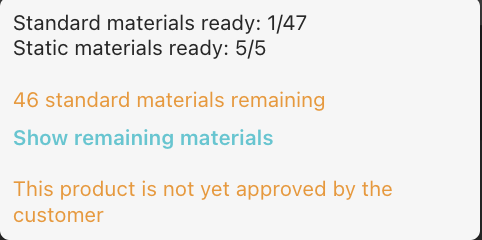
Finalize Materials:
Click "Show Remaining Materials" to see a dialog box with details about the pending materials.
Click each material within the dialog box to be taken to the material review page for approval.
Resolve each to mark the asset as ready for mass production.
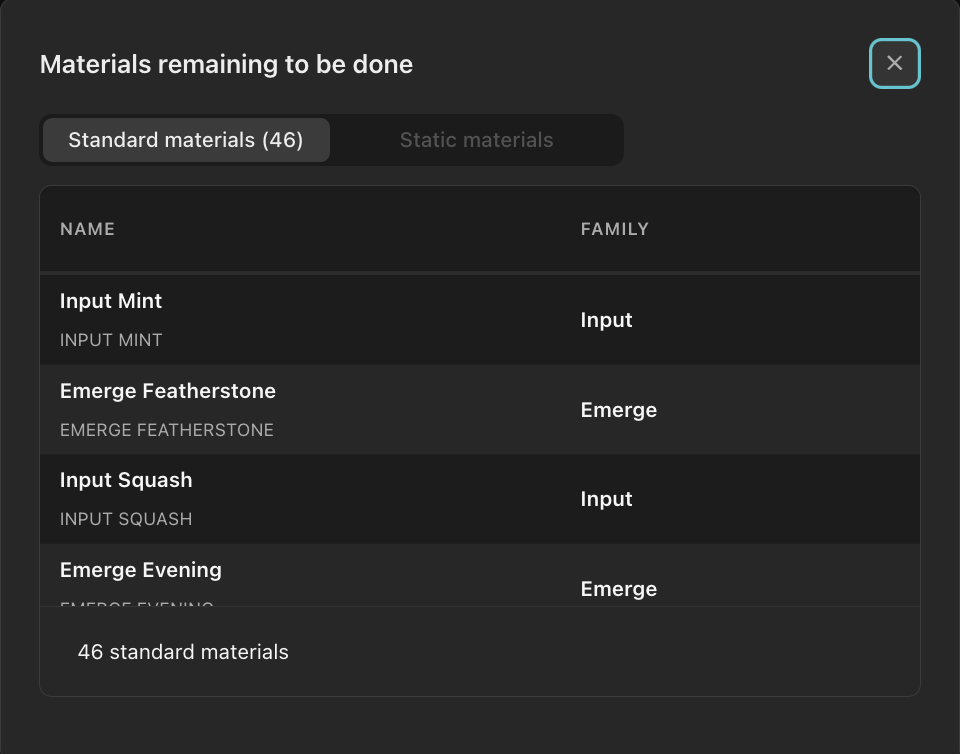
Confirmation:
When all materials are ready, you’ll see a confirmation message, signaling that the item is production-ready.